Coordination
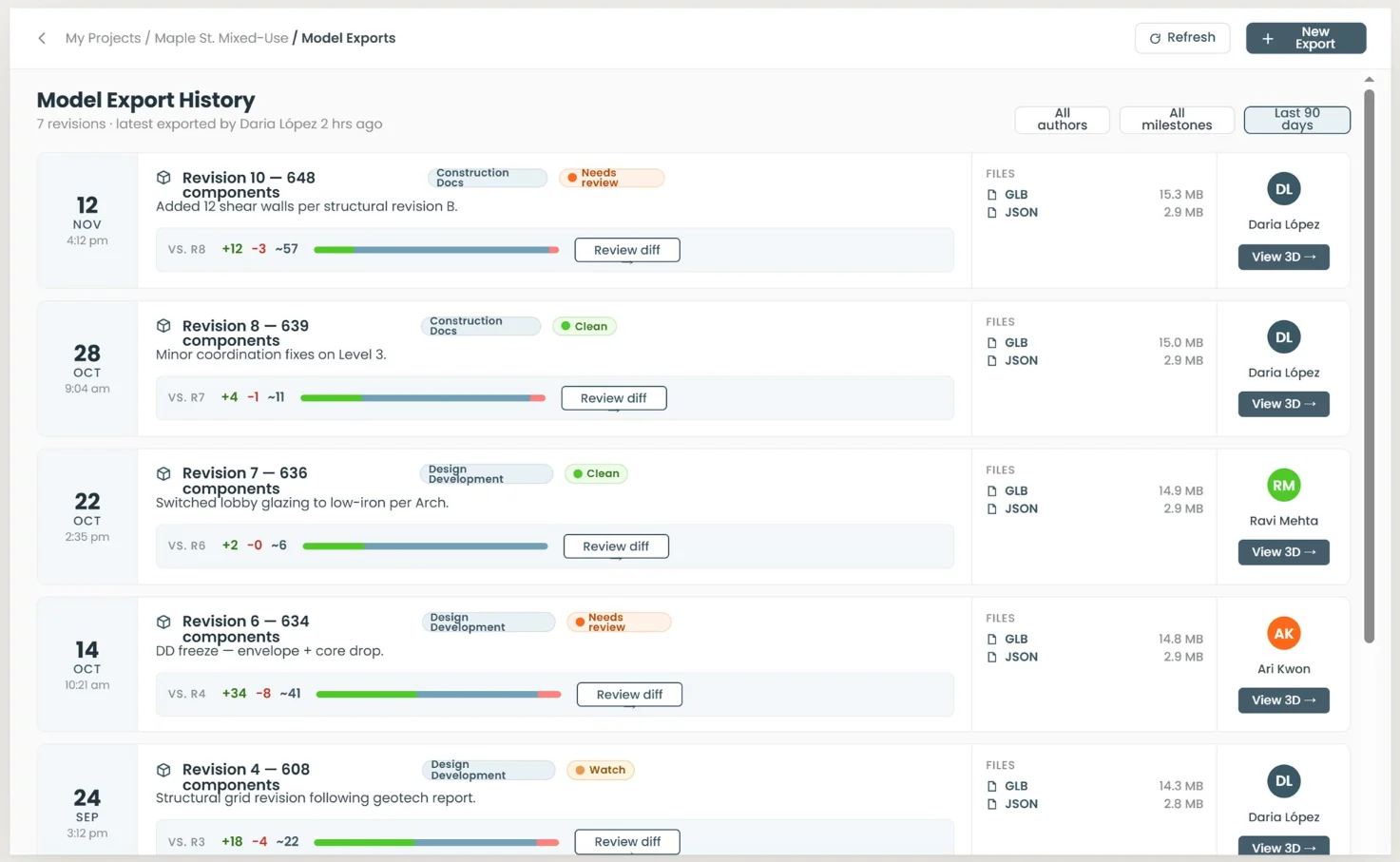
Every export kept, nothing overwritten
Each publish from Revit becomes a versioned snapshot with its own files, author and milestone, so the history of the project is a record instead of a memory.
- Revisions tagged by milestone — schematic design, design development, construction docs
- Added, removed and modified counts carried on every revision
- GLB and JSON kept per export and openable in 3D
- Review state per revision: clean, needs review or watch
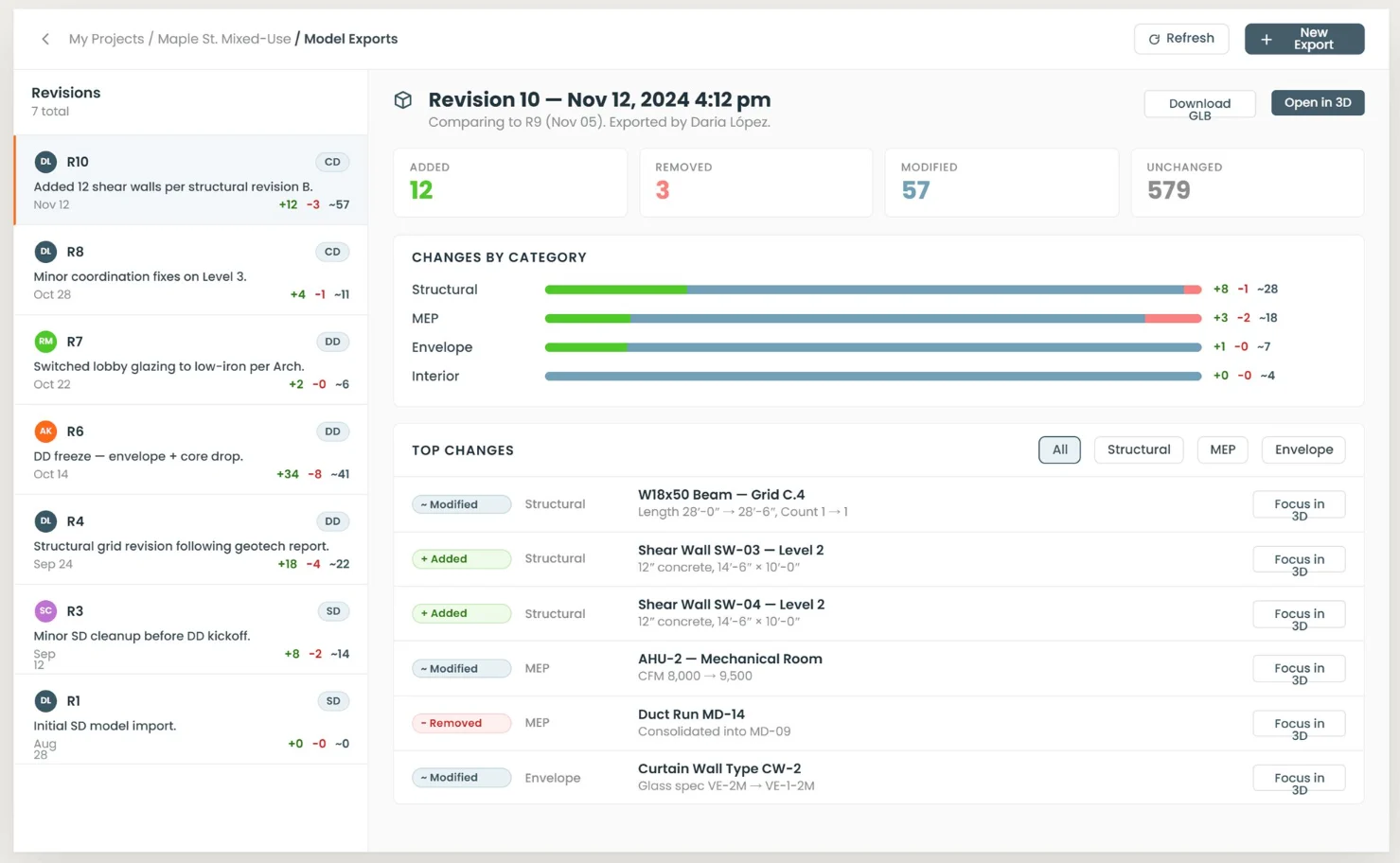
See what changed, and who changed it
Compare any two revisions element by element, instead of opening both models and trusting your eye.
- Added, removed, modified and unchanged, counted against the previous revision
- Changes broken down by category — structural, MEP, envelope, interior
- Top changes listed with the element, its parameters and what moved
- Focus any changed element in 3D straight from the list
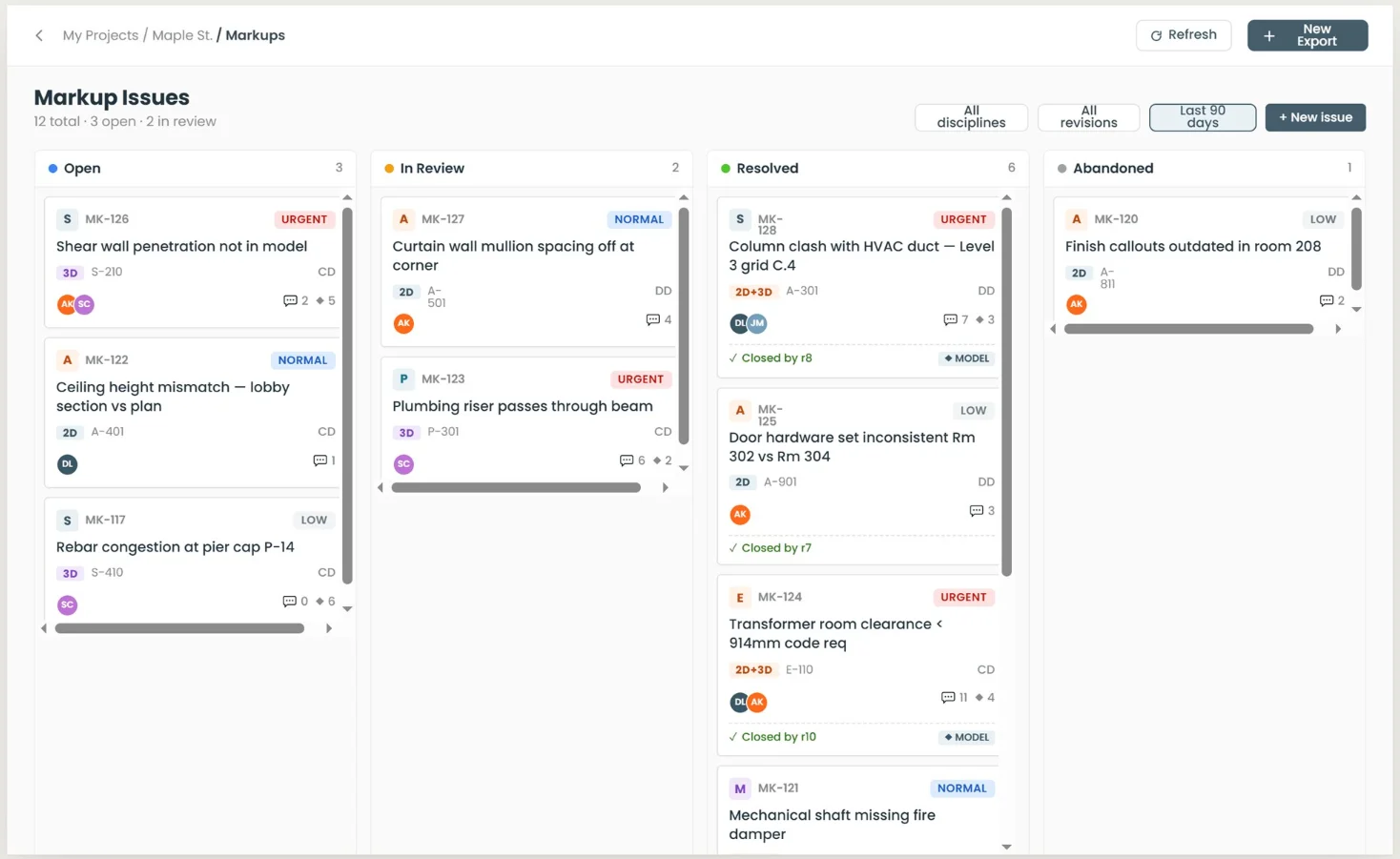
Issues pinned to the sheet and to the model
A markup issue carries the sheet it came from, the elements it concerns and the revision that raised it — in board or table view.
- Raised from a 2D sheet, from the 3D model, or from both at once
- Priority, discipline, author and assignee on every issue
- Board by status, or a sortable table with the sheet reference
- Each issue links the revision that raised it and the one that closed it
The coordination meeting becomes work on the plan
Import or paste the minutes and BidLight turns them into tasks, issues, checklists and milestones on the plan, rather than leaving them in a document nobody reopens.
- Import a document, text file, CSV or XML — or paste the notes straight in
- Owner, due date, priority and discipline read from the line itself
- Edits and deletions by issue reference, not only new items
- Held in the Review Center for approval when the project requires it
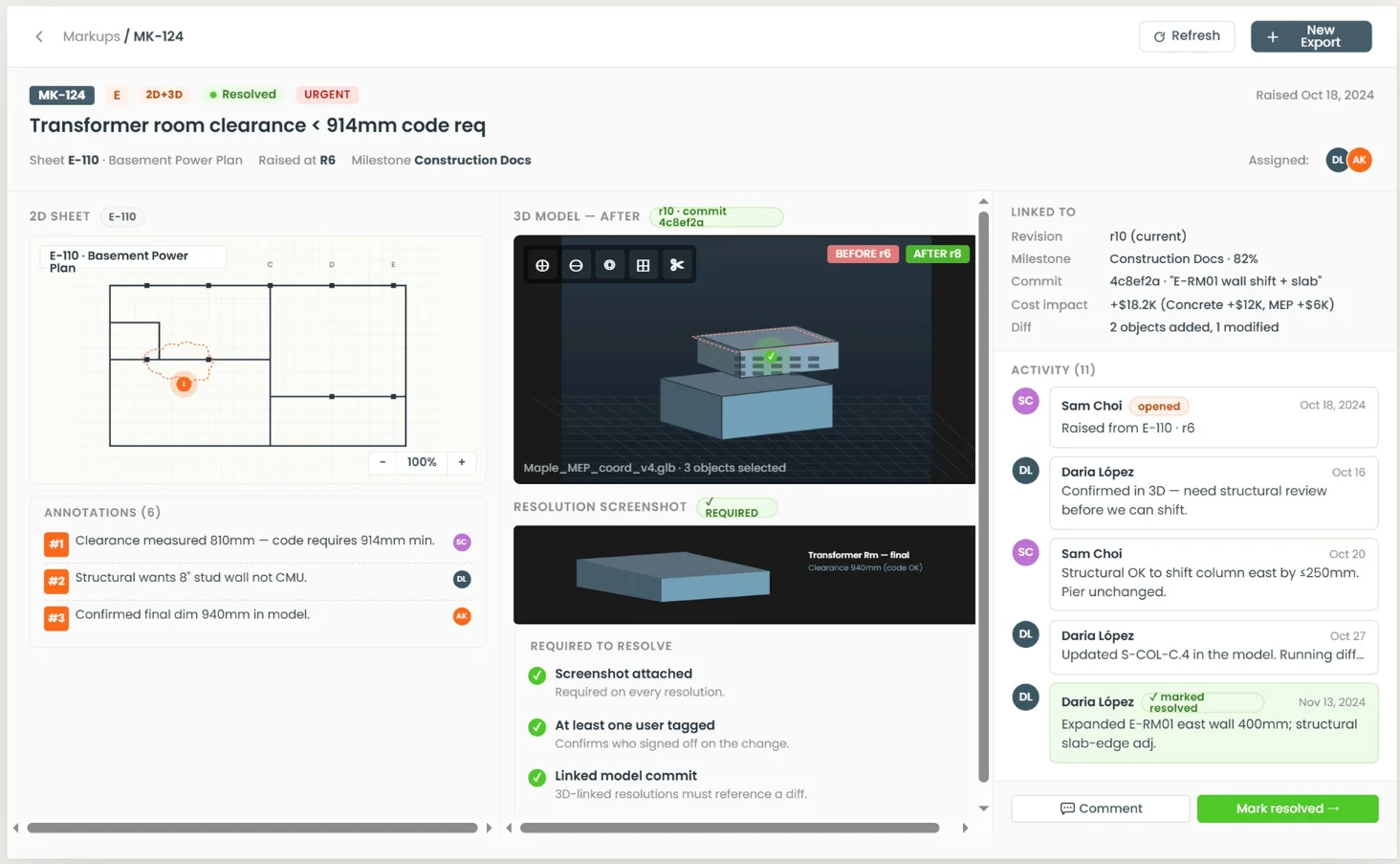
A resolution has to prove itself
Closing an issue is gated. BidLight asks for the evidence before it will accept the change as resolved.
- A resolution screenshot is required
- At least one user tagged, so somebody signed off on the change
- A linked model commit, so the fix references a real diff
- The 2D sheet and the before/after 3D side by side, annotations kept
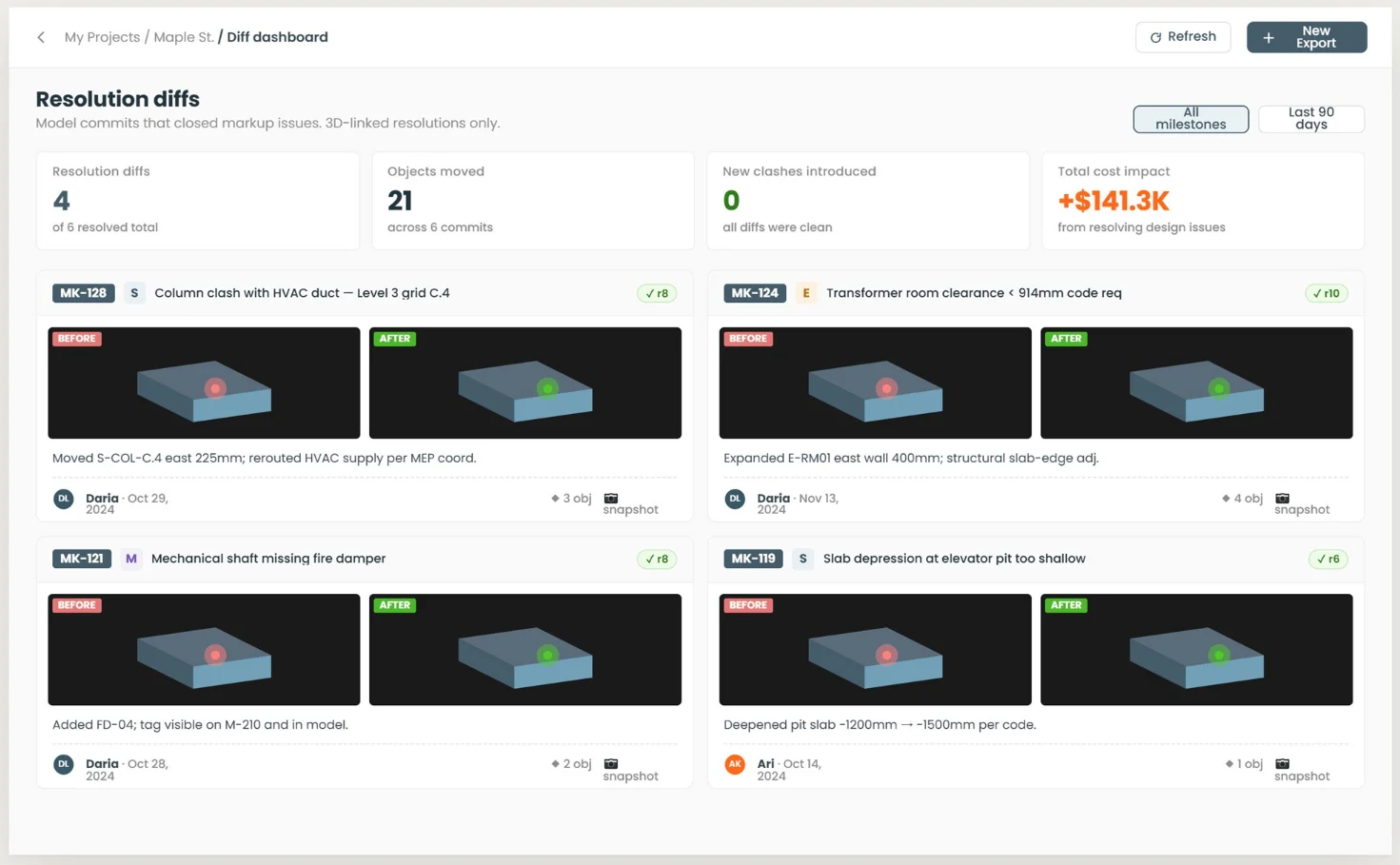
What the fix moved, and what it cost
Every resolution is measured against the model commit that delivered it, so a fix that quietly breaks something else does not pass unnoticed.
- Before and after for each resolved issue, with the object count
- Objects moved across the commits that closed issues
- New clashes introduced, counted — a clean fix reads as zero
- Cost impact of resolving design issues, totalled across the project
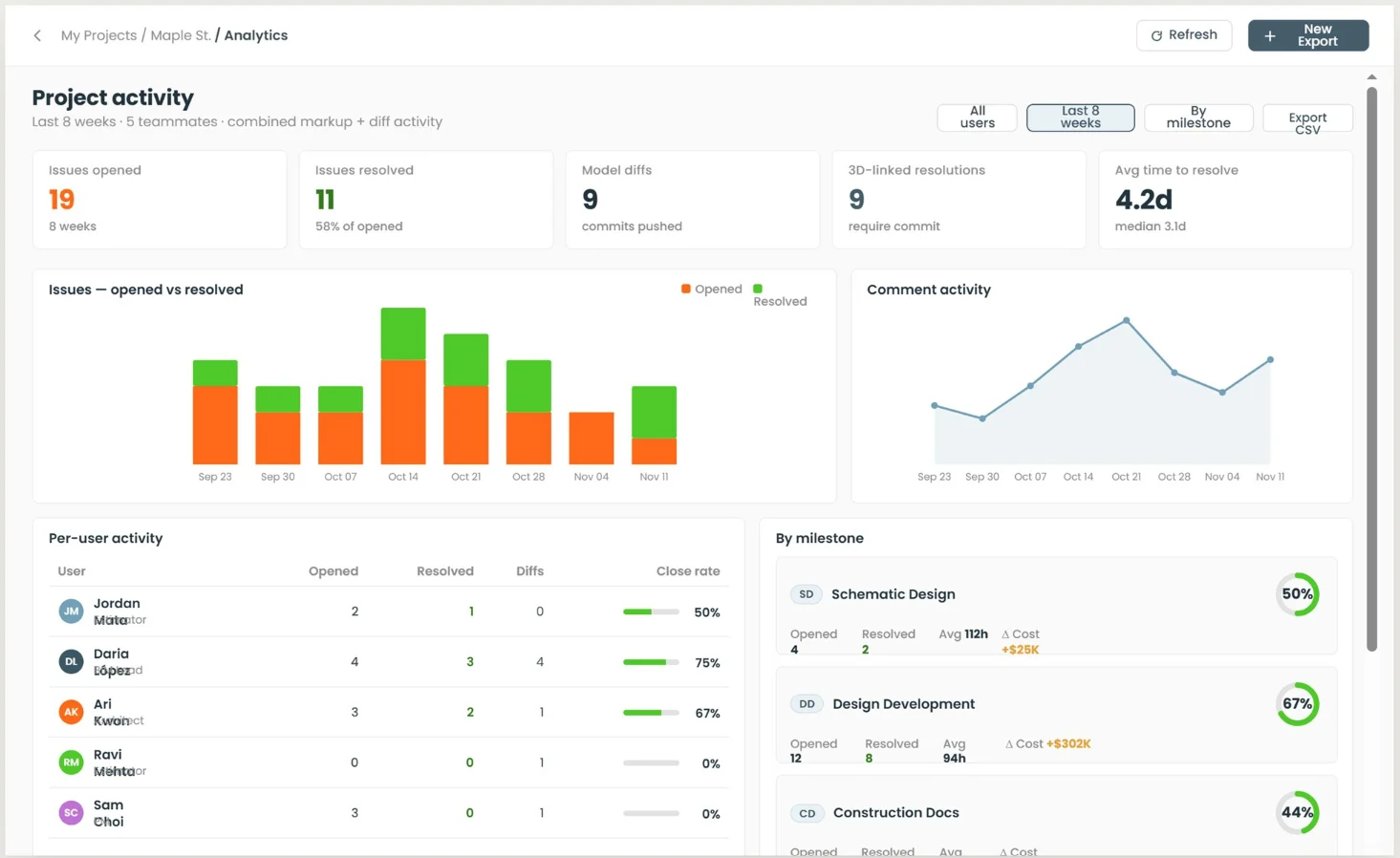
How coordination is actually going
Throughput per person and per milestone, visible while there is still schedule left to act on it.
- Issues opened against issues resolved, week by week
- Per-user opened, resolved, diffs pushed and close rate
- Progress by milestone with the cost delta each one carries
- Average and median time to resolve