The Daily BIM Questions That No One Can Answer Quickly
Data center BIM conversations rarely fail because teams lack information. They fail because the right information is scattered across models, schedules, RFIs, vendor submittals, breaker tables, and field markups. A superintendent may ask which feeder changed, an electrical lead may need to confirm whether the A-side and B-side routes are still separated, and an owner may want to know if a cooling adjustment affects uptime or future maintenance. These are daily questions, but in mission-critical facilities, the answers are rarely quick. Strong data center BIM turns those questions into coordinated, traceable decisions before they become clashes, rework, or operational risk.
Why Daily BIM Questions Matter in Data Center Construction
Data center construction is not ordinary MEP coordination with more equipment. It is a high-density infrastructure project where power, cooling, cabling, redundancy, monitoring, and operations must work as one system. A small modeling gap can affect constructability, load distribution, maintenance access, or uptime.
In this environment, BIM coordination is not just about visualizing systems. It is about proving that the design can be built, maintained, expanded, and operated without compromising reliability.
The Real Problem Behind Slow BIM Answers
Slow answers usually come from disconnected data. The model may show conduits and cable trays, while the breaker schedules live somewhere else. Vendor models may show UPS systems, but not the real maintenance clearances. Field teams may see clashes, but not know which system owns the change.
That gap creates rework. It also weakens trust in the model.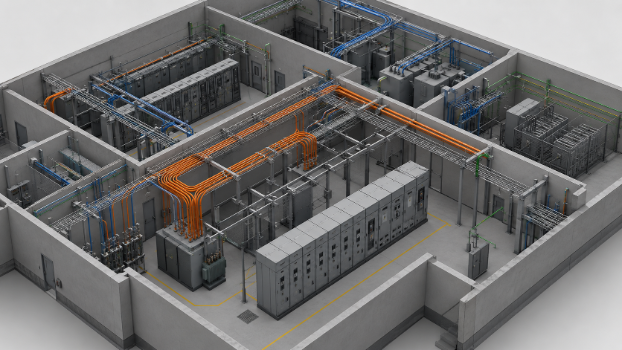
Why Mission-Critical Facilities Need Faster Coordination
Mission-critical facilities depend on speed and certainty. When questions about power infrastructure, cooling systems, or electrical routing take too long to answer, trades either wait or make assumptions. Both options are expensive.
Fast coordination protects uptime, supports compliance, and reduces the chance that one hidden issue spreads across multiple systems.
Core BIM Coordination Concepts for Data Centers
BIM coordination in data centers is the process of aligning MEP systems, electrical BIM, structural constraints, vendor equipment, and operational requirements inside one coordinated environment. The goal is not a clean-looking model. The goal is a model that can answer technical questions clearly.
BIM Execution Plan and Coordination Standards
A strong BIM Execution Plan defines model ownership, coordination frequency, naming rules, clash detection workflows, and handoff expectations. Without it, teams often coordinate visually but manage information inconsistently.
Standards such as ISO 19650 and a structured Common Data Environment help control revisions, responsibilities, and approval history.
Common Data Environment for Faster Answers
A Common Data Environment keeps models, issues, documents, and decisions in one controlled place. That matters because data center questions often cross disciplines. A power distribution change may affect cooling, cabling, switchgear access, and future expansion.
Centralized information reduces the time spent searching and increases the quality of the answer.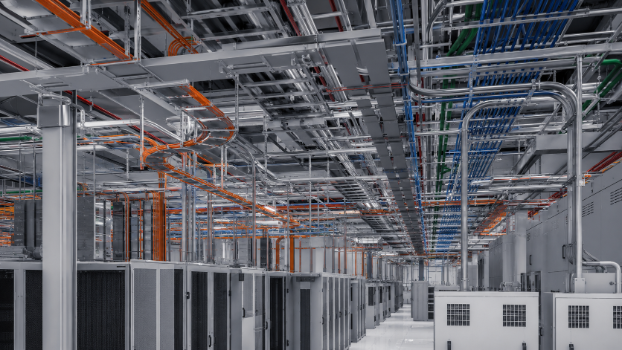
Model Segmentation and Vendor Model Control
Large data center BIM models need segmentation by system, zone, phase, or discipline. Otherwise, the model becomes too heavy and too difficult to navigate.
Vendor models also need control. Equipment from UPS suppliers, generator packages, switchgear manufacturers, and cooling vendors must be accurate enough for coordination without overwhelming the model.
Power Infrastructure Questions BIM Must Answer
Power infrastructure is where many daily BIM questions become critical. Data centers rely on utility feeds, switchgear, UPS systems, backup generators, power distribution, cabling, conduits, and rack-level delivery. BIM must make those relationships visible.
Power Distribution and Electrical Routing
Electrical routing is one of the most congested parts of data center construction. Cable trays, conduits, busways, and feeder routes compete with ductwork, chilled water systems, structural steel, and access zones.
Good BIM coordination helps teams understand not only where routing fits, but whether the routing still supports installation sequence, feeder lengths, and long-term maintenance.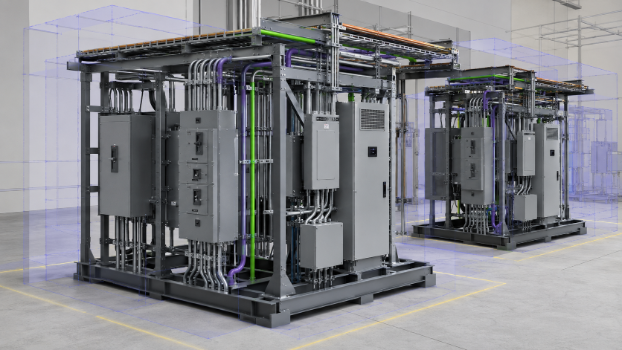
Switchgear, Breaker Schedules, and Load Visibility
Switchgear coordination is not only about physical clearance. Teams need to understand breaker schedules, load distribution, load balancing, and downstream equipment relationships.
When the model connects physical assets to electrical data, questions such as “which breaker feeds this load?” or “what changed in this feeder path?” become easier to answer.
UPS Systems and Backup Power Coordination
UPS systems, uninterruptible power supply equipment, battery rooms, backup generators, and transfer systems are central to uptime. BIM must coordinate space, routing, clearances, ventilation, and replacement paths.
A backup power system is only reliable if its physical installation supports the intended electrical architecture.
Redundancy, Uptime, and Fault Tolerance in BIM
Redundancy is one of the hardest ideas to verify from drawings alone. BIM must show whether redundant power paths are actually separated, maintainable, and protected from shared points of failure.
A/B Power Paths and System Separation
A/B power paths are simple in concept but difficult in dense construction. If A-side and B-side conduits share the same congested corridor, pass through the same vulnerable area, or clash with the same cooling route, redundancy may be weakened.
BIM helps reveal those hidden fault domains early.
N+1, 2N, and 2N+1 Redundancy Models
N+1, 2N, and 2N+1 redundancy models affect equipment quantity, routing, physical space, and maintenance planning. They are not just electrical design labels.
The BIM model should reflect this logic so coordination teams can test whether the physical infrastructure matches the reliability strategy.
Tier III, Tier IV, and Uptime Institute Considerations
Tier III and Tier IV expectations often introduce questions about concurrent maintenance, fault tolerance, and fault capabilities. Uptime Institute language influences how owners think about availability, but BIM translates those expectations into physical coordination.
The model must show whether maintenance can happen without creating unacceptable operational risk.
Cooling Systems and Thermal Coordination
Cooling systems are tightly connected to power. More electrical load creates more heat, and more heat demands better airflow management, cooling capacity, and layout discipline.
Airflow Management and Hot Aisle Cold Aisle Planning
Hot aisle cold aisle planning only works if airflow paths are protected. Cable trays, containment systems, rack layouts, and overhead services can all affect airflow.
BIM helps teams see whether the cooling strategy is being supported or quietly compromised.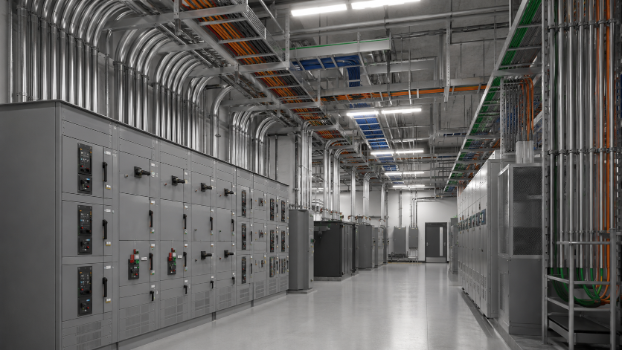
Chilled Water Systems, CRAC, CRAH, and Liquid Cooling
Chilled water systems, CRAC units, CRAH units, and liquid cooling all introduce space, routing, service, and maintenance requirements. In AI data centers and high-density racks, cooling coordination becomes even more important.
These systems must be modeled early, not forced around completed electrical routes later.
Cooling and Power Interaction
Power and cooling cannot be coordinated separately. Load growth changes energy consumption, cooling demand, airflow requirements, and PUE. BIM gives teams a shared view of how electrical architecture and thermal performance interact.
Clash Detection and Constructability Review
Clash detection is useful only when it supports decisions. In data centers, the question is not simply whether two objects collide. The real question is whether the clash affects redundancy, uptime, constructability, compliance, or maintenance.
Common Data Center Clash Scenarios
Common clashes include cable trays crossing ductwork, conduits blocking access panels, UPS equipment lacking clearance, switchgear service zones being compressed, and chilled water piping conflicting with electrical pathways.
Each issue may seem small, but together they create delays and rework.
Clearance Validation for Installation and Maintenance
Clearance validation protects both construction and operations. Teams need room to install, inspect, replace, and maintain equipment safely.
Maintenance clearances should be treated as model requirements, not leftover space.
Reducing Rework Through Early Coordination
Early coordination reduces field surprises. When clashes are resolved in BIM, trades avoid expensive rerouting, schedule friction, and late-stage redesign.
That is where constructability becomes measurable.
Operational BIM: From Construction Model to Facility Asset
The best data center BIM models remain useful after handover. An accurate as-built model supports facility management, monitoring, maintenance, and future expansion.
As-Built Models for Facility Management
An as-built model should include final routing, equipment locations, breaker references, feeder paths, maintenance zones, and asset data. Without this information, operations teams return to manual tracing.
Real-Time Monitoring and Digital Twins
Digital twins and real-time monitoring extend BIM into operations. When live performance data connects to modeled assets, teams can understand load, equipment status, cooling behavior, and system risk faster.
Predictive Maintenance and System Reliability
Predictive maintenance depends on reliable asset data. UPS systems, generators, cooling systems, and electrical distribution equipment all benefit from better visibility into condition and performance trends.